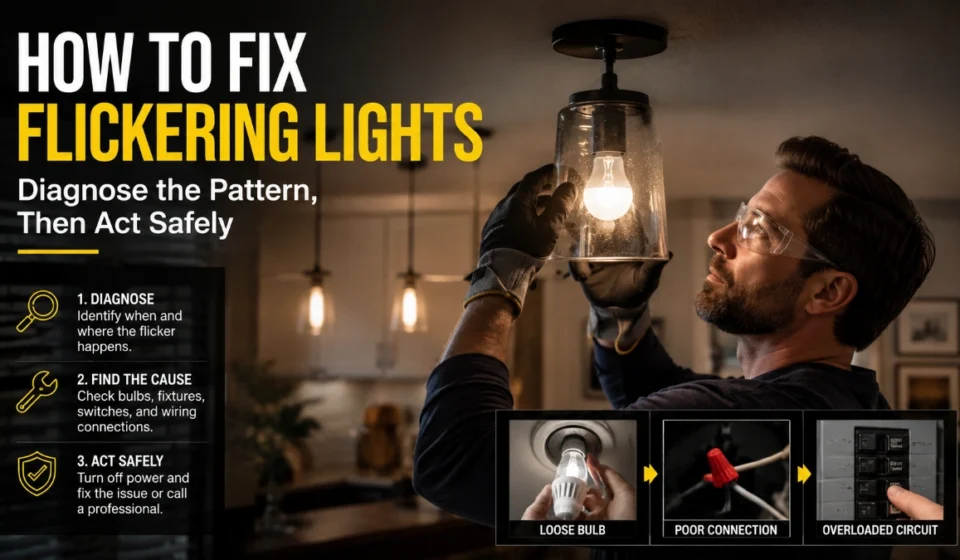

How to Fix Flickering Lights: Causes, Safe Checks and Help
A flickering light may be as simple as a loose bulb, but whole-home flickering or flickering with heat, smells, buzzing, sparks, or breaker problems should be treated as an electrical warning sign. Start with the symptom, perform only bulb-level checks, and escalate wiring or service issues instead of attempting a repair.
Decide which pattern fits
Before trying to learn how to fix flickering lights, identify whether the problem is limited to a bulb, a dimmer-controlled light, one fixture, or several rooms.
| Pattern | Likely next action |
| One bulb flickers | Switch it off, let it cool, then tighten or replace it |
| Flicker began after fitting an LED | Check whether the bulb is dimmable and compatible with the dimmer |
| Several bulbs flicker in one fixture | Stop after a bulb-swap test; arrange an electrician |
| Lights flicker in several rooms | Contact an electrician promptly |
| Flicker occurs in wind or after storm damage | Contact the electric utility; do not touch service equipment |
| Flicker comes with heat, burning odour, buzzing, sparks, or breaker trips | Stop using the affected circuit and contact an electrician |
CPSC notes that flickering lights can stem from faulty wiring in a receptacle, wall switch, or electrical product, so a bulb replacement is not always the correct solution.
Safe actions you can take
The safe homeowner version of how to fix flickering lights is deliberately limited: turn the light off, replace or reseat a bulb, and check product compatibility. Do not remove switch plates, open a fixture, handle exposed conductors, or work inside an electrical panel unless you are qualified.
Reseat the bulb
- Turn off the switch.
- Allow the bulb to cool.
- Tighten it gently until snug; never force it.
- Restore power and observe the light.
If this resolves the problem, the bulb was probably not making consistent contact. Replace a bulb with cracked glass, a damaged base, or visible scorching instead of using it again.
Swap in a known-good bulb
If reseating does not work, install a new, compatible bulb that does not exceed the fixture’s stated maximum wattage. CPSC warns against using bulbs above a fixture’s rating because overheating can create a hazard.
A simple swap test helps isolate the cause:
- Put a known-good bulb in the flickering fixture.
- Put the suspected bulb in another suitable fixture.
- If the flicker follows the bulb, replace the bulb.
- If the known-good bulb flickers only in the original fixture, the next action is professional inspection — not further DIY disassembly.
This is the practical limit of how to fix flickering lights for a faulty fixture: the homeowner can identify a likely fixture-side fault but should not try to repair the socket, switch, internal driver, or wiring.
Solve LED-dimmer flicker
LED flicker that happens only when the light is dimmed usually points to a compatibility question. For this type of how to fix flickering lights problem, check both components rather than replacing bulbs at random.
- Confirm that the LED bulb is marked “dimmable.”
- Check that the dimmer is designed for LED loads.
- Use the bulb maker’s or dimmer maker’s compatibility list where available.
- Compare the exact bulb/luminaire model with the exact dimmer model.
- If the combination is not listed or remains unstable, have an electrician select and install an appropriate dimmer.
Compatibility is not universal: LEDVANCE says there is no official technical standard governing every electronically controlled LED/dimmer pairing and publishes product-specific recommended-dimmer lists.
Recognise a wiring warning
Do not dismiss repeated flickering as merely a lighting problem. The Electrical Safety Foundation International identifies flickering or dimming lights, burning smells, discoloured switches, and warm outlets as signs that can indicate a serious wiring problem.
Stop using the affected circuit and arrange a licensed electrician if flickering occurs with any of the following:
- A warm, discoloured, loose, or damaged outlet or switch
- Buzzing, sizzling, crackling, or a burning-plastic smell
- Sparks, smoke, or a visible arc
- Repeatedly tripped breakers or blown fuses
- More than one room or circuit affected
- An electrical shock or tingling sensation from an appliance or switch
For renters, report these conditions promptly to the landlord or property manager. Do not open fixtures, switches, or outlets in a rented property to investigate the cause.
Separate electrician and utility problems
How to fix flickering lights depends on who owns the likely fault. A fixture, wall switch, outlet, circuit, or panel problem belongs with a licensed electrician. A possible fault in the incoming electric service belongs with the utility.
If lights flicker when wind blows or after a storm, keep away from the meter, overhead service drop, service-entrance cable, and damaged outdoor equipment. CPSC says wind-related flickering can result from bad contacts where the service-entrance cable joins the service drop, and it directs consumers to contact the electric power company immediately rather than attempt a repair.
Call emergency services if there is a downed line, fire, smoke, or another immediate danger. Keep people and pets away from damaged electrical equipment.
Avoid false fixes
Do not try to solve an electrical problem by repeatedly resetting breakers, using permanent extension-cord arrangements, fitting a higher-wattage bulb, or forcing a non-dimmable LED onto a dimmer circuit. These measures can hide the fault, introduce overheating risk, or leave the underlying wiring issue unresolved. CPSC advises using extension cords only temporarily and says hot outlet cover plates may indicate an unsafe wiring condition requiring electrician inspection.
Read more: How to Fix Flickering Lights: A Safe Troubleshooting Guide
Frequently Asked Questions
Yes. A loose bulb can make intermittent contact with its socket. With the switch off and the bulb cool, tighten it gently or replace it if it is damaged.
The bulb may be non-dimmable, the dimmer may not be intended for LED loads, or the specific pairing may be incompatible. Check manufacturer compatibility information for the exact product models.
It can be. Flickering combined with heat, burning smells, buzzing, sparks, discolouration, or repeatedly tripped breakers is a warning sign that needs electrician assessment.
Wind can affect a poor contact where the utility service drop connects to the home’s service-entrance cable. Do not touch the equipment; contact the power company immediately.